llm大语言模型配置
ollama
ollama是优秀的大模型部署工具,支持最新模型,如qwen3.5:9b,支持function calling。有条件的,可以自行部署,无限免费token,随心玩耍。
启动模型
这里以qwen3.5:9b为例,您可以选择其他模型。
ollama run qwen3.5:9b
(可选)使用如下命令验证ollama api是否运行:
curl http://localhost:11434/v1/chat/completions \
    -H "Content-Type: application/json" \
    -d '{
        "model": "qwen3.5:9b",
        "messages": [
            {
                "role": "system",
                "content": "You are a helpful assistant."
            },
            {
                "role": "user",
                "content": "Hello!"
            }
        ]
    }'
(可选)使用如下命令验证使用的qwen3.5:9b是否支持工具调用function calling:
curl http://localhost:11434/v1/chat/completions \
    -H "Content-Type: application/json" \
    -d '{
        "model": "qwen3.5:9b",
        "messages": [
            {
                "role": "system",
                "content": "You are a helpful assistant."
            },
            {
                "role": "user",
                "content": "call test_function('hello')"
            }
        ],
        "tools": [{"type": "function", "function": {"name": "test_function", "description": "A test function", "parameters": {"type": "object", "properties": {"test_param": {"type": "string", "description": "A test parameter"}}, "required": ["test_param"]}}}]
    }'
配置
显示如下提示,说明qwen3.5:9b支持function calling。
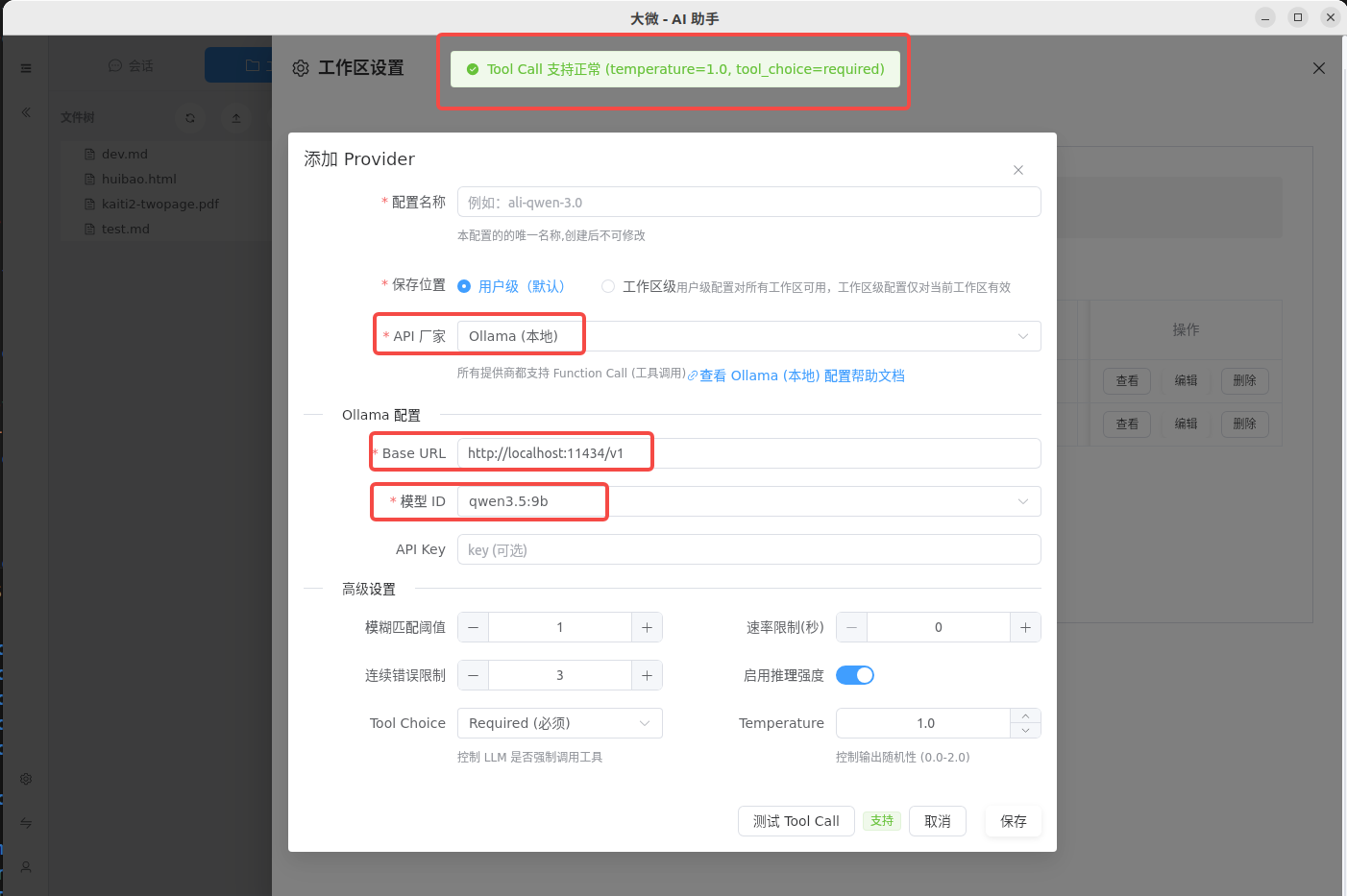
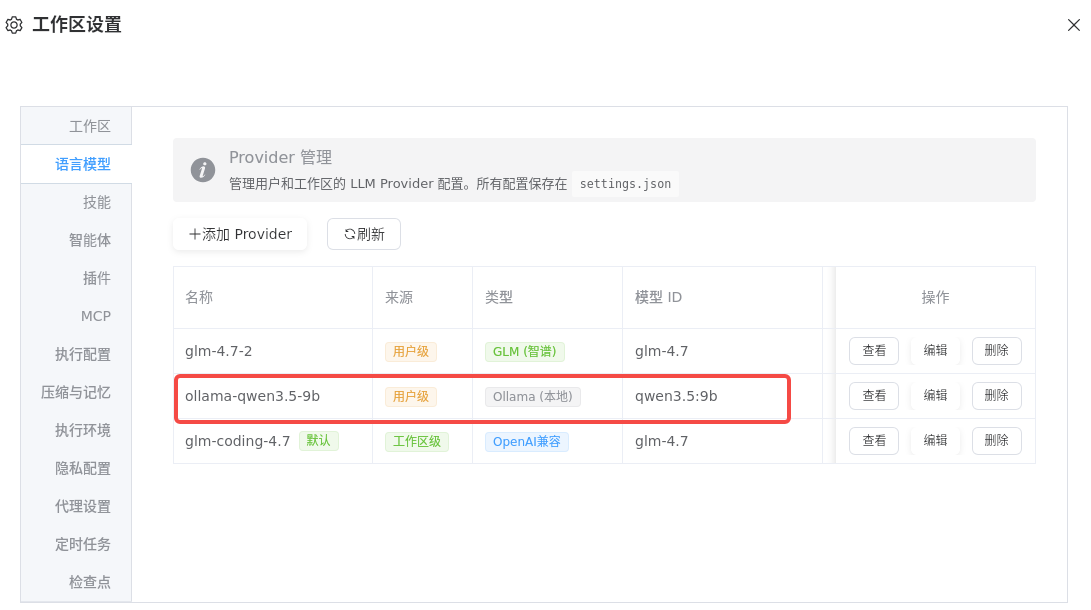
在llm列表中,可以看到新建的llm:
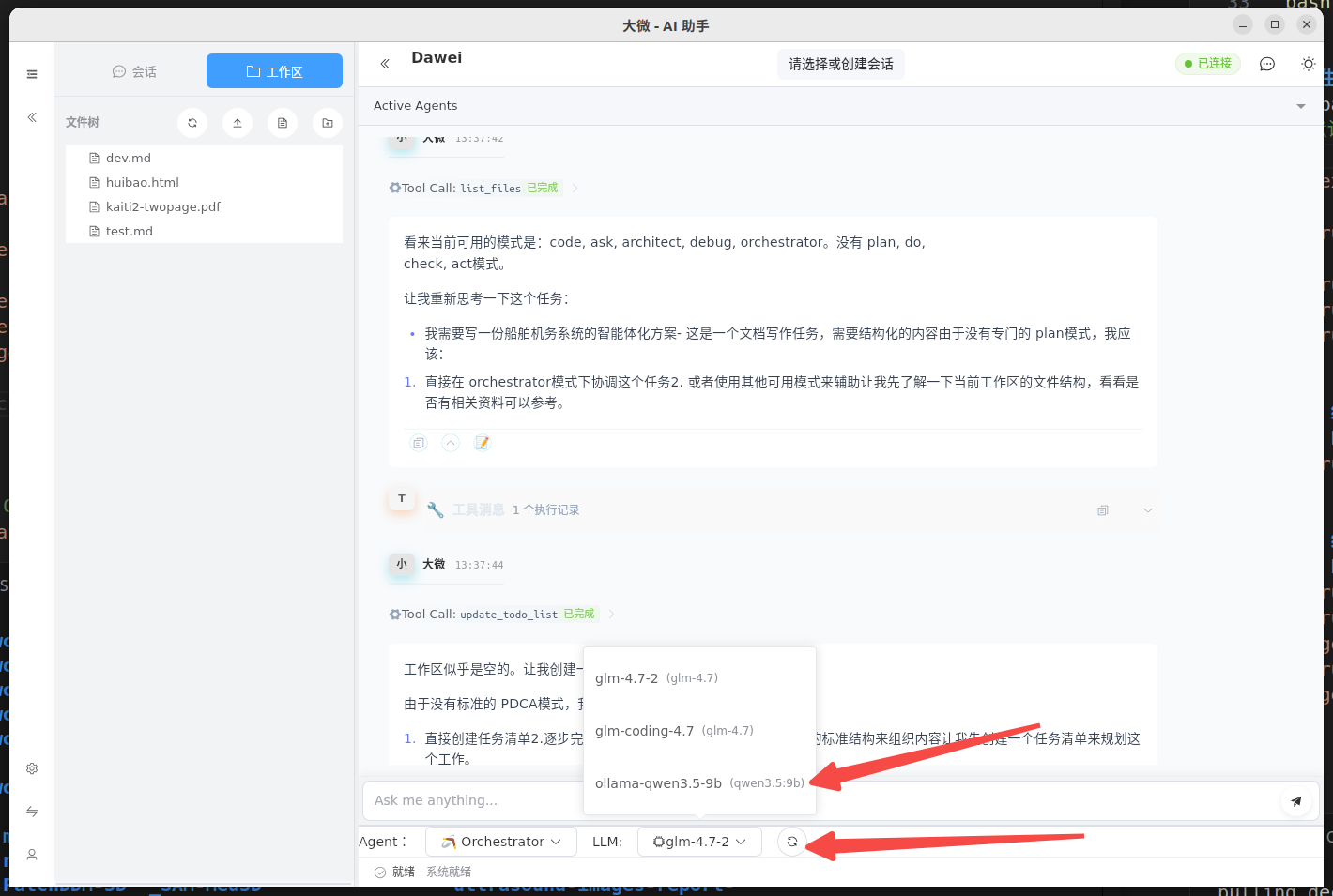
返回到工作区页面,可以看到新建的llm:
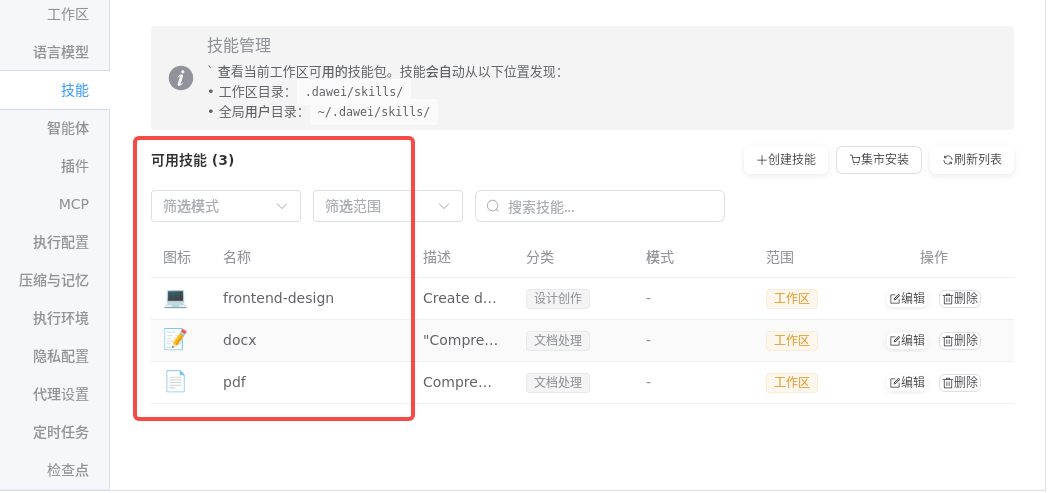
我已经事先安装了3个技能:
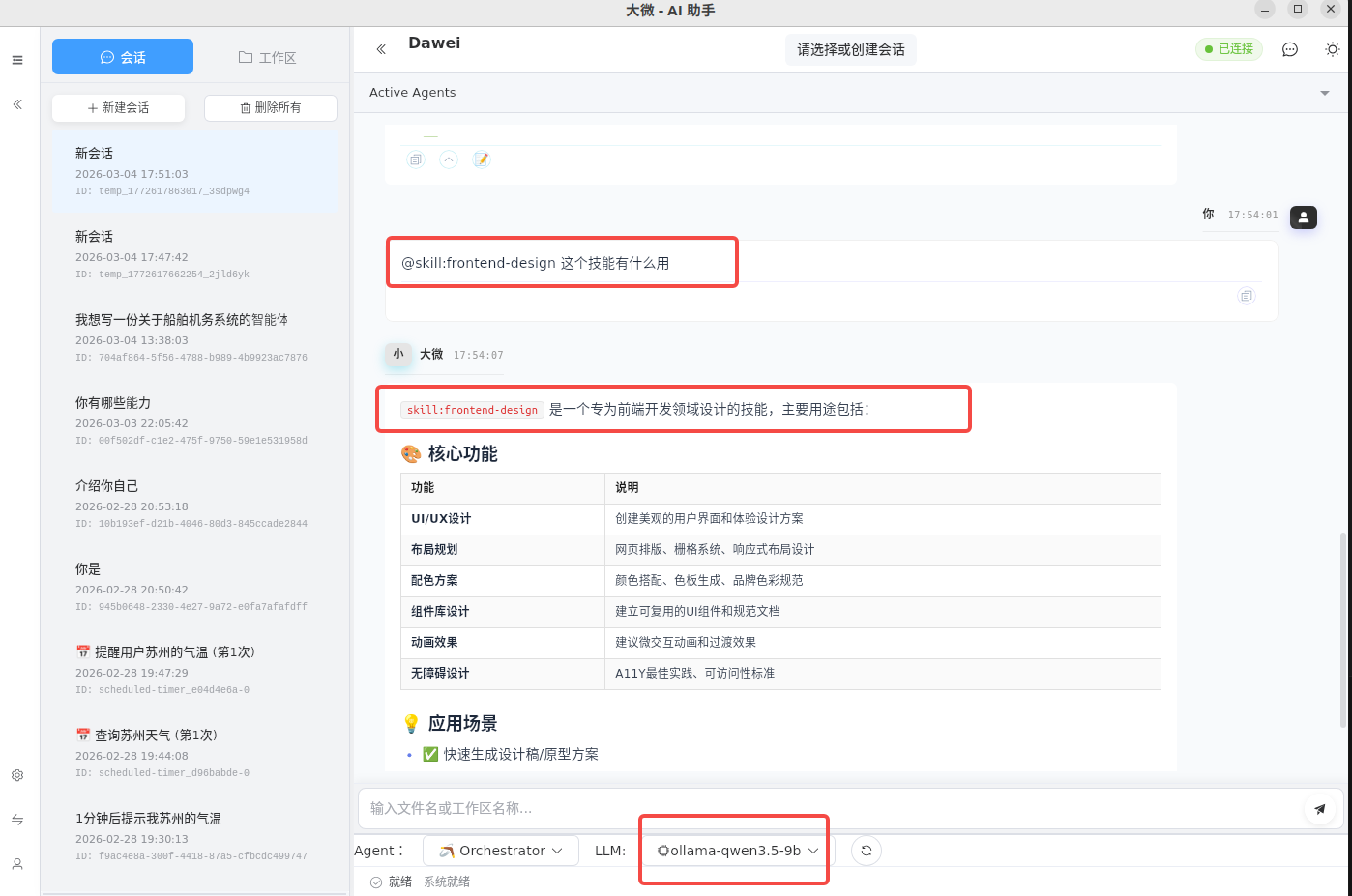
现在可以开始愉快的玩耍了,问它: @skill:frontend-design 这个技能有什么用?
注意: 9b模型能力有限,应该尽可能告诉他明确的指令,否则无法理解任务。
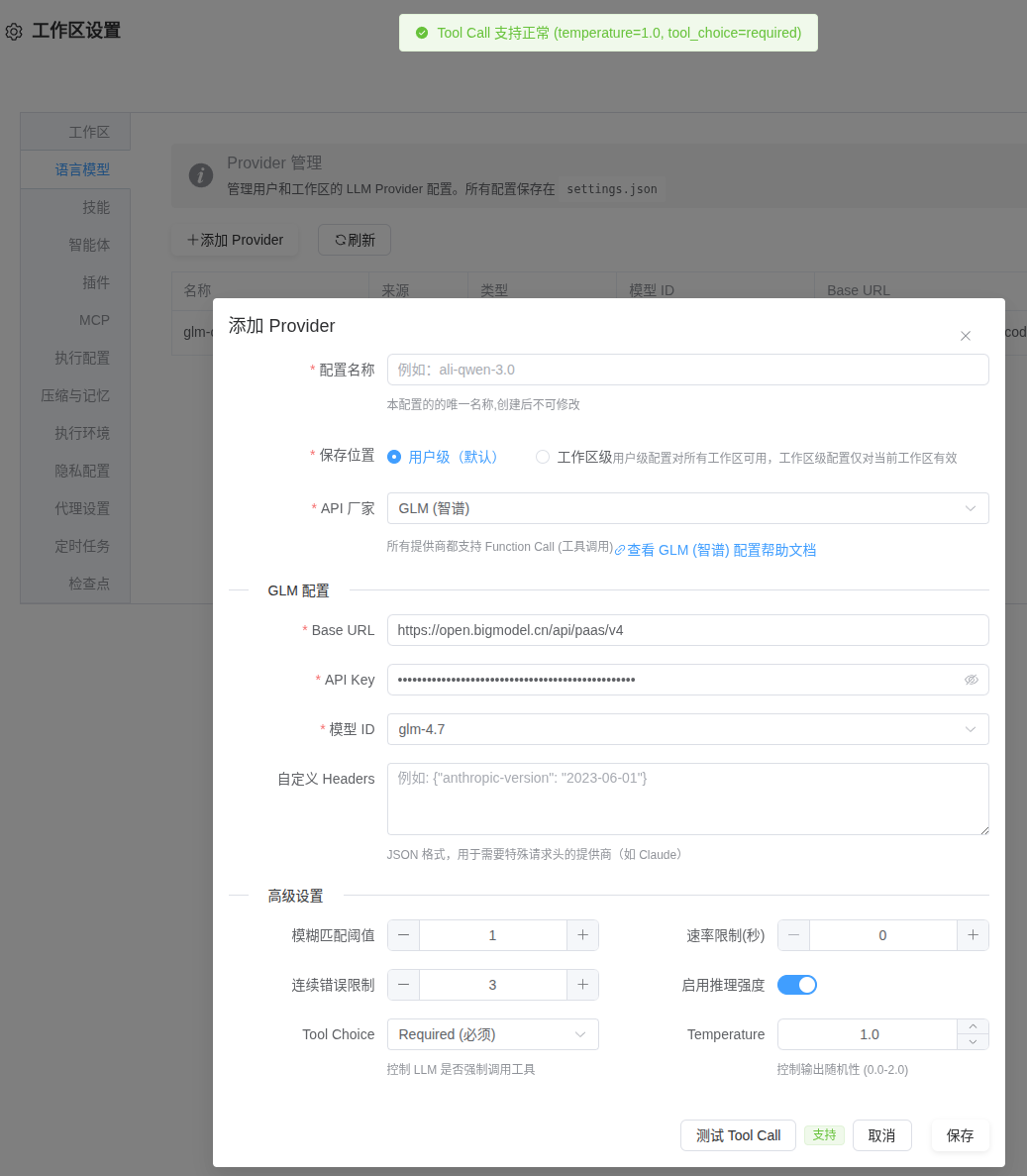
glm
官方地址: https://docs.bigmodel.cn/cn/guide/models/text/glm-5
配置方式
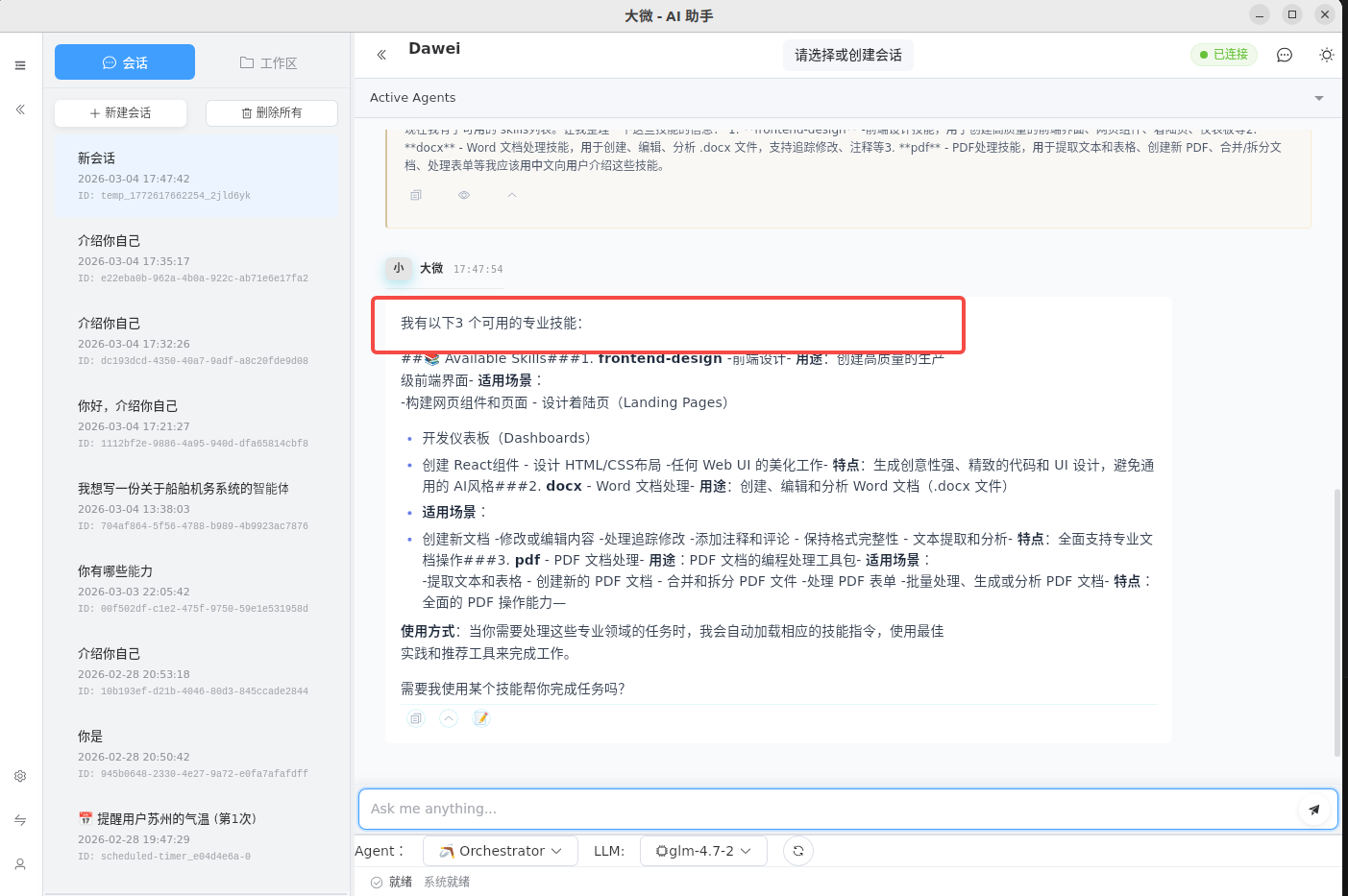
我已经事先安装了3个技能:
现在提问: 有哪些skills?
vllm
[TODO]
启动vllm
vllm serve Qwen/Qwen3.5-9B --host 0.0.0.0 --port 8100